前回の記事では、DaVinci Resolveから書き出したOTIOファイルの構造を確認しながら、FlameのConformで使用されるNameカラムやFile Nameカラムとの関係を調査しました。
その中で、File Nameカラム末尾に表示される「d」の挙動は修正できましたが、File Nameカラムの表示を変更しても、Match Criteria > File Name / Strict ONからリンクするこはできませんでした。
今回は、File Name / Strict ONで使用されている情報について、さらにOTIOファイル内部を調査してみます。
ImageSequenceReferenceを確認する
OTIOファイル内には、Clip.2だけでなくImageSequenceReference.1にも名前に関する情報が保存されています。
"OTIO_SCHEMA": "ImageSequenceReference.1"

"name": "A002C001_2206227A[141603-141626].exr",
"name_prefix": "A002C001_2206227A",
"name_suffix": ".exr",
"start_frame": 141603
「name_prefix」・「name_suffix」・「start_frame」といった連番ファイルに関係する情報が記録されています。
・name
・name_prefix
・name_suffix
・start_frame
Flameは以前から連番ファイルに対して「%d」や「%06d」のようなprintf形式を使用しています。
連番ファイルのフレーム番号部分を表現する書式です。
image.%06d.exr > image.000001.exr
%06d は「整数(d)を6桁でゼロ埋めして表示する」という意味です。
name_prefixを書き換えてみる
今回の検証では、リンク結果に変化が出るかを確認するため、“name_prefix”を修正しました。
"OTIO_SCHEMA": "ImageSequenceReference.1"

"name": "A002C001_2206227A[141603-141626].exr"
↓
"name_prefix": "A002C001_2206227A[141603-141626].exr"
つまり、ImageSequenceReference.1の”name”を、”name_prefix”へそのままコピーしています。
変更後は以下のようになります。
"OTIO_SCHEMA": "ImageSequenceReference.1"

"name": "A002C001_2206227A[141603-141626].exr",
"name_prefix": "A002C001_2206227A[141603-141626].exr",
"name_suffix": ".exr",
"start_frame": 141603
スクリプトを作成
毎回、OTIOファイルを手動で編集するのは現実的ではありません。
そこで、ImageSequenceReference.1 “name”の値を、”name_prefix”にコピーする検証用スクリプトを作成しました。
FlameのFile Name / Strict ONで使用できるOTIOファイルを生成します。
resolve_otio_prepare_for_flame_strict.py
#!/usr/bin/env python3
# -*- coding: utf-8 -*-

import argparse
import json
import re


def strip_clip_name(name):
    name = re.sub(r"\[\d+-\d+\]", "", name)
    name = re.sub(r"\.[^.]+$", "", name)
    return name.rstrip("._- ")


def process(obj):
    changed_clip_name = 0
    changed_name_prefix = 0

    def walk(item):
        nonlocal changed_clip_name, changed_name_prefix

        if isinstance(item, dict):
            schema = item.get("OTIO_SCHEMA")

            # File Name Strict用:
            # ImageSequenceReference.name を name_prefix にコピー
            if schema == "ImageSequenceReference.1":
                name = item.get("name")
                prefix = item.get("name_prefix")

                if isinstance(name, str) and name != prefix:
                    item["name_prefix"] = name
                    changed_name_prefix += 1

            # Name Strict用:
            # Clip.2.name だけ短くする
            if schema == "Clip.2":
                name = item.get("name")

                if isinstance(name, str):
                    new_name = strip_clip_name(name)

                    if new_name != name:
                        item["name"] = new_name
                        changed_clip_name += 1

            for value in item.values():
                walk(value)

        elif isinstance(item, list):
            for value in item:
                walk(value)

    walk(obj)
    return changed_clip_name, changed_name_prefix


def main():
    parser = argparse.ArgumentParser(
        description="Prepare Resolve OTIO for Flame Name and File Name Strict matching."
    )
    parser.add_argument("input_otio")
    parser.add_argument("output_otio")

    args = parser.parse_args()

    with open(args.input_otio, "r", encoding="utf-8") as f:
        data = json.load(f)

    changed_clip_name, changed_name_prefix = process(data)

    with open(args.output_otio, "w", encoding="utf-8") as f:
        json.dump(data, f, indent=4)

    print(f"Changed Clip.2 names       : {changed_clip_name}")
    print(f"Changed name_prefix fields : {changed_name_prefix}")
    print(f"Input  : {args.input_otio}")
    print(f"Output : {args.output_otio}")


if __name__ == "__main__":
    main()
スクリプト実行
[admin@Rocky Documents]$ python3 resolve_otio_prepare_for_flame_strict.py edit.otio edit_final.otio
Changed Clip.2 names       : 4
Changed name_prefix fields : 4
Input  : edit.otio
Output : edit_final.otio
[admin@Rocky Documents]$
Flameから確認
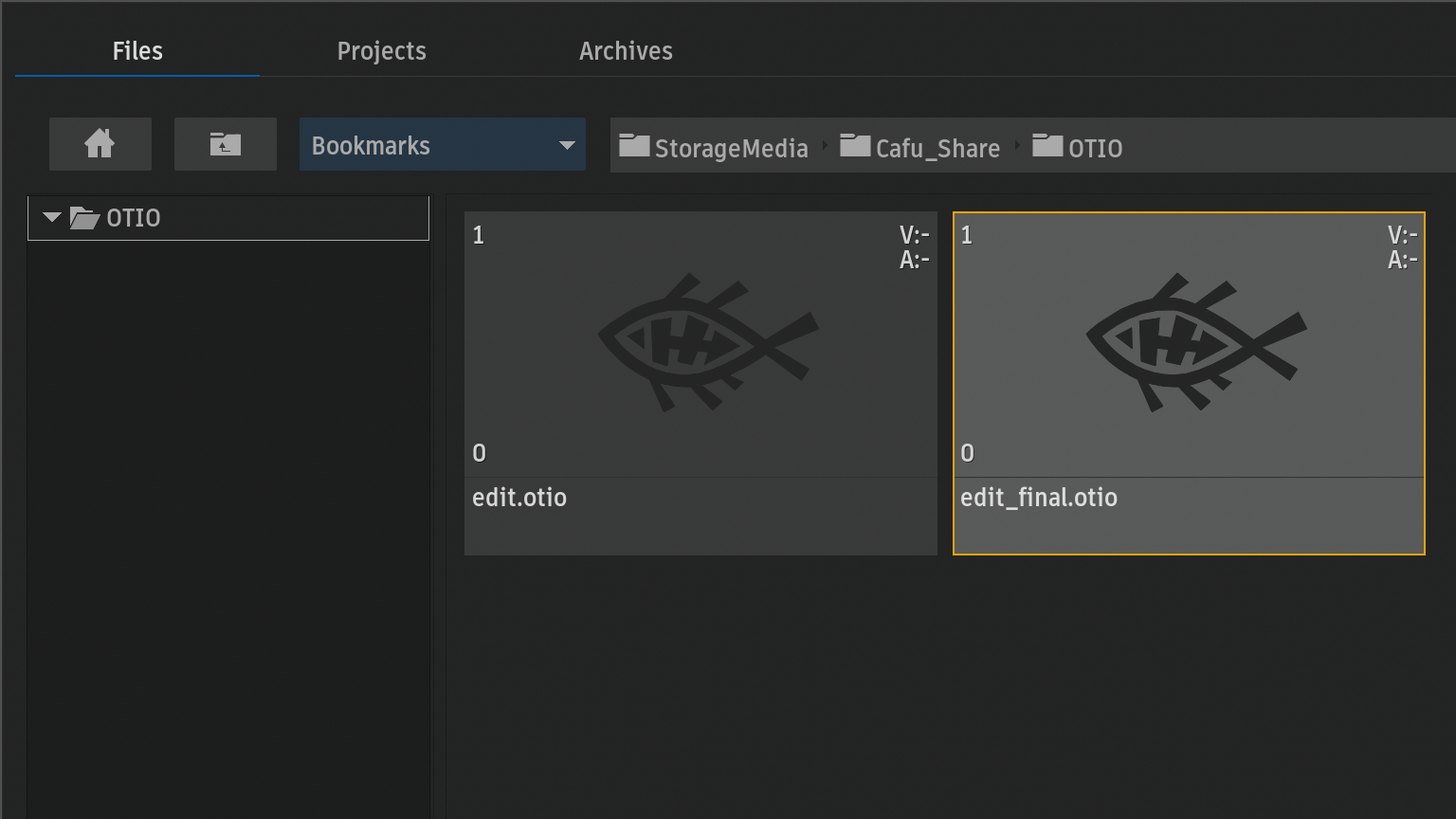
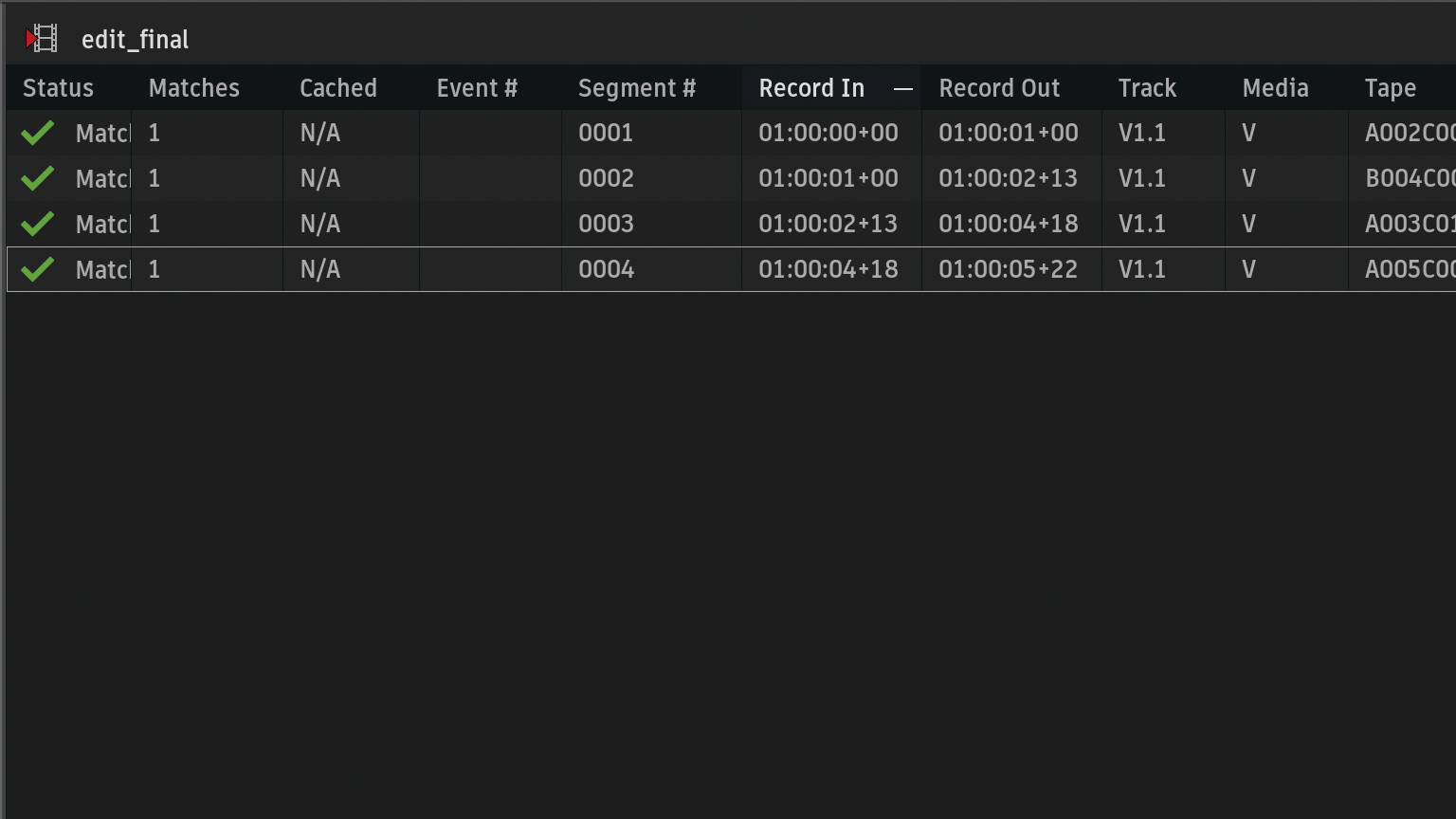
"name_prefix"を修正したedit_final.otioをインポート
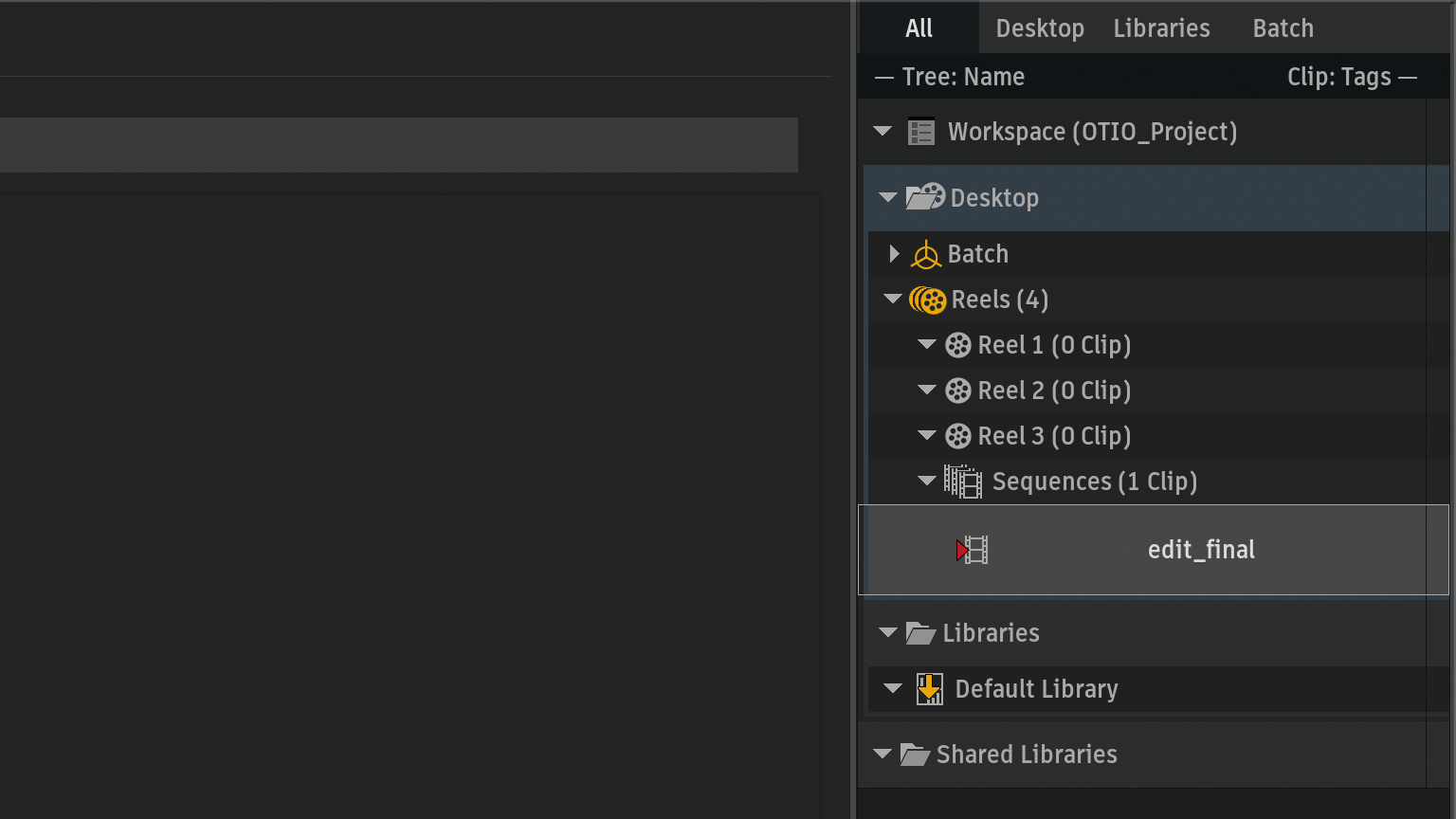
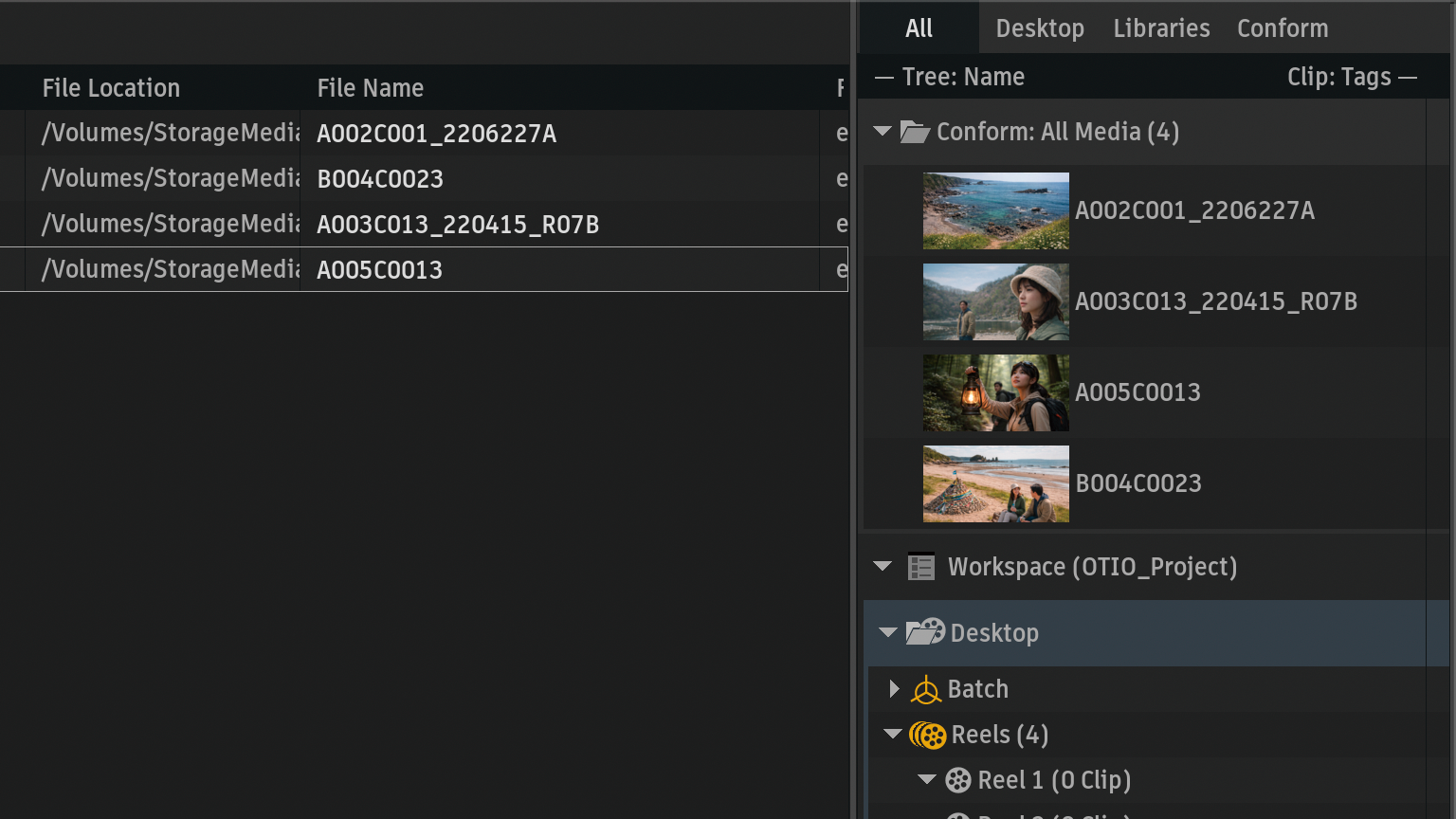
File Nameカラムから、ファイルネームTCと拡張子は表示していない
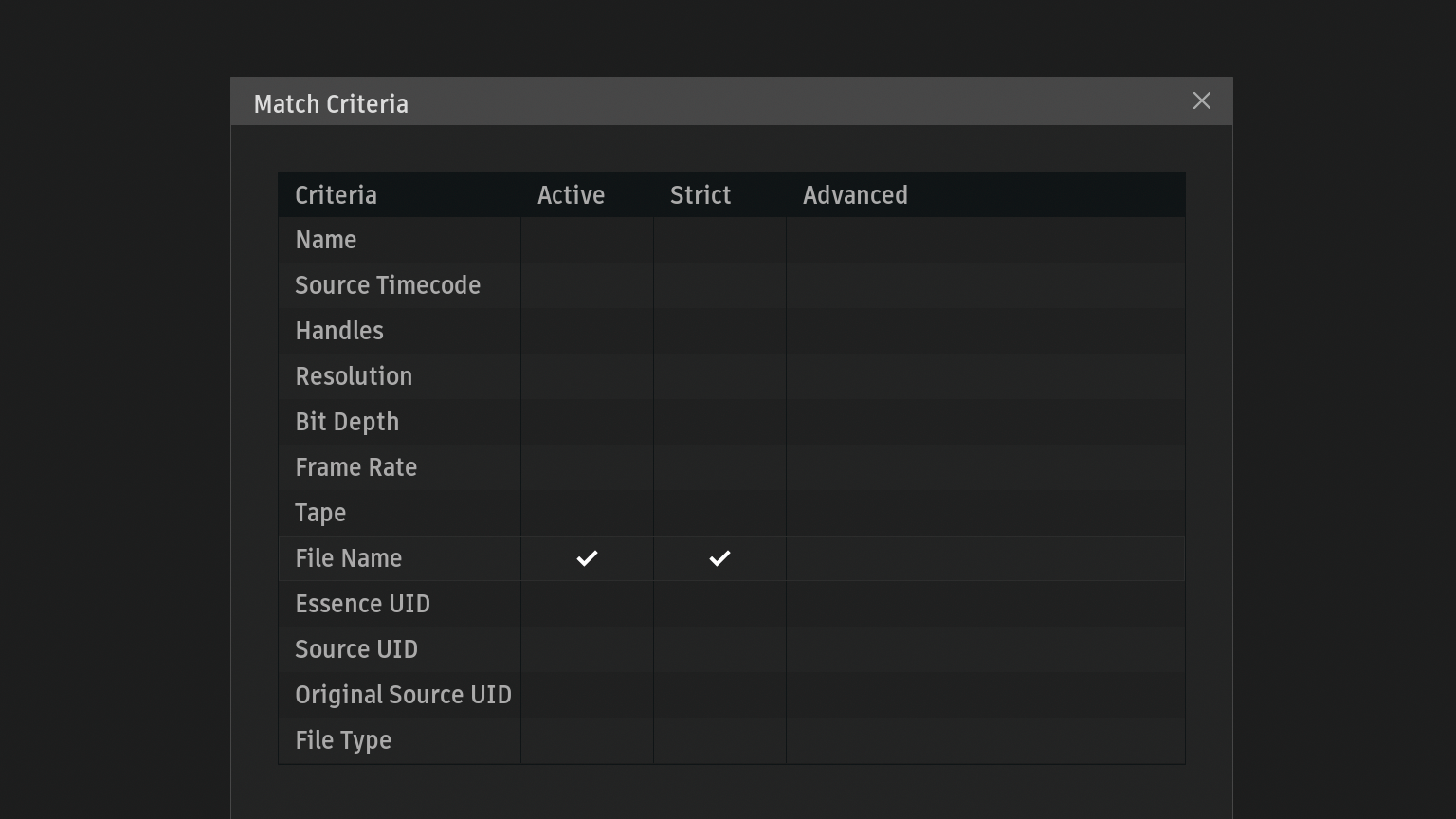
Match Criteria > File Name / Strict ONからリンクすることができる
考察
今回までの検証では、
- Clip.2の"name"を短いクリップ名(ファイルネームTCと拡張子の削除)へ変換
- ImageSequenceReference.1の"name"を、"name_prefix"にコピー
また、File Nameカラムは、
A002C001_2206227A
B004C0023
A003C013_220415_R07B
A005C0013
ファイルネームTCと拡張子の表示はありませんが、リンク結果は変化しました。
このことから、ImageSequenceReference.1"name_prefix"の内容が、File Name / Strict ONのリンクに影響している可能性が高いと思われます。
まとめ
現時点では、Flame内部のリンクロジックまでの確認できていませんが、少なくとも、ImageSequenceReferenceの
- name_prefix
- name_suffix
- start_frame
これらの情報が、File Nameによるリンクに関係している可能性があります。
| Match Criteria | 参照していそうな場所 |
| Name | Clip.2 "name" |
| File Name | ImageSequenceReference.1 "name_prefix" |
今後もOTIOファイルの構造を調査しながら、Flameで安定してリンクできる条件を検証していきたいと思います。